
What is Home Assistant Voice Preview Edition?
Home Assistant Voice Preview Edition is an early version of Home Assistant Voice that allows users to try out the new voice functionality and provide feedback before its official release. This version is designed to demonstrate the system’s core features, but may contain some limitations and bugs as it is still under development and testing.
Main features of the Home Assistant Voice Preview Edition:
- Voice Commands: Preview Edition allows users to use voice commands to control their smart home devices integrated with Home Assistant. This can include controlling lights, thermostats, security systems, and other devices.
- Local processing: Like the standard version of Home Assistant Voice, the Preview Edition uses local command processing, which means that voice data is not sent to external servers, ensuring better privacy and protection of personal information.
- Interaction with Home Assistant: You can use voice commands to activate various scenes and automations that you have configured in Home Assistant. This allows you to customize and easily control your home through a simple voice interface.
- Multiple languages: The device supports a wide range of languages, offering a much larger selection than competing devices. The level of support for each language varies depending on the language models used.
- Providing Feedback: Users of the Preview Edition can provide feedback on the system’s functionality and performance, which helps developers improve the product before its official release.
Cons and limitations:
- Bugs and instability: Since this is a preview version, it may contain bugs and performance issues.
- Limited features: Some features may not be available or may not work as smoothly as they do in more mature versions of the product.
- Hardware requirements: Like the standard version, Home Assistant Voice Preview Edition requires compatible hardware for installation.
The Home Assistant Voice Preview Edition is a great opportunity for early adopters who want to explore Home Assistant’s voice features and help improve the product before its official release. This is a testing and development version, so it’s suitable for people who like to experiment and aren’t bothered by potential instability issues.
You can learn more about the device itself here
The device’s technical specifications are:
The device measures 84 x 21 x 84 mm (W x H x D)
Physical buttons:
- Multifunction button
- A rotary dial for volume and other settings
- A mute switch that physically cuts off power to the microphone
Microphone and speaker:
- Internal speaker
- Internal dual microphone grille
- 3.5 mm audio output
Expandability:
- Grove port
In the box:
- ESP32-S3 SoC board with 16 MB of FLASH memory and 8 MB of octal PSRAM
Audio processing: XMOS XU316 with echo cancellation, fixed noise cancellation, automatic gain control, and separate I2S lines for audio input and output
Power supply: USB-C, 5 V DC, 2 A
Connectivity: 2.4 GHz Wi-Fi, Bluetooth 5.0
Audio:
- 3.5 mm stereo headphone jack
- Digital-to-analog converter (DAC): TI AIC3204
- Sampling rate: 48 kHz
Software:
- ESPHome pre-installed
- Fully open-source firmware for the ESP32 and the XMOS chip
Let’s install it
You can find detailed installation instructions here. The method we’ll use involves connecting the HA Voice PE to Wi-Fi and an existing Home Assistant installation. Here are the steps:
- Connect the device to a power source using a USB-C cable
- Open your Home Assistant installation. If you haven’t installed it yet, you can find detailed instructions here.
- Navigate to Settings > Devices & services in Home Assistant UI.
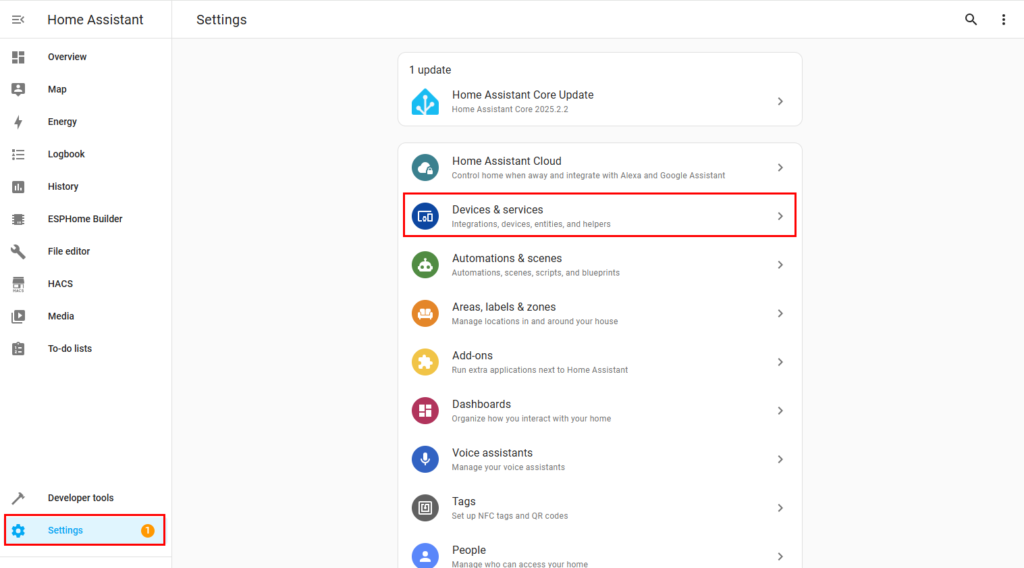
In our setup, the Home Assistant installation supports Bluetooth Proxy, which we will use to connect to the device. When HA Voice PE connects to Home Assistant, the following pop-up will appear:
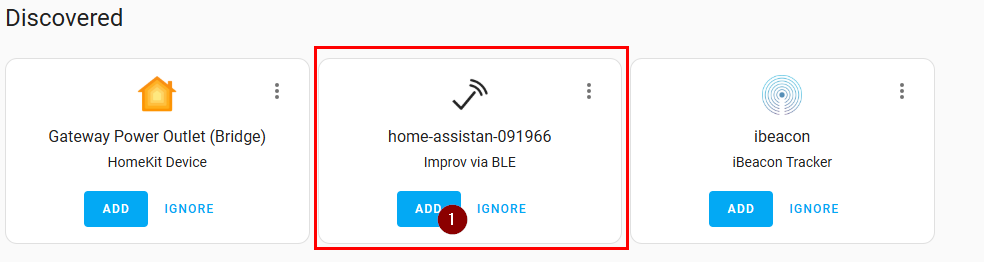
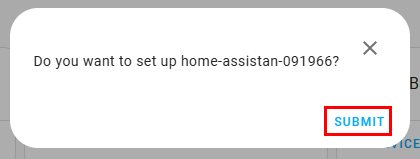
To add it, click “Add” (1) and then “Submit.”
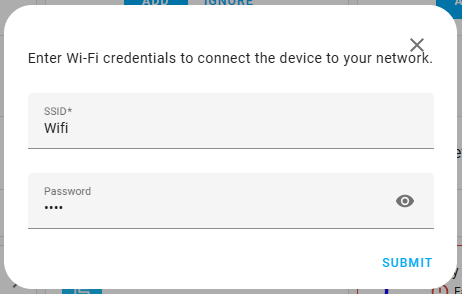
Next, we need to enter our Wi-Fi password
Finally, the device will prompt us to press the physical button to confirm its activation.
Once activation is complete, the device will redirect us to https://my.home-assistant.io/redirect/config_flow_start?domain=esphome for final configuration.
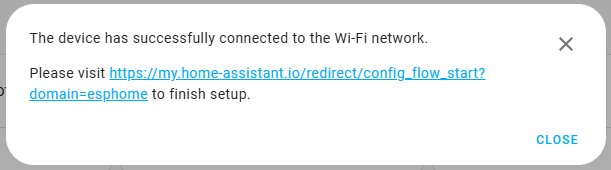
Once we click the link, Home Assistant will ask us if we want to install “ESPHome” and if we want to add the detected devices.
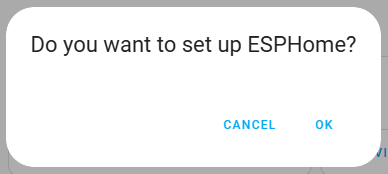
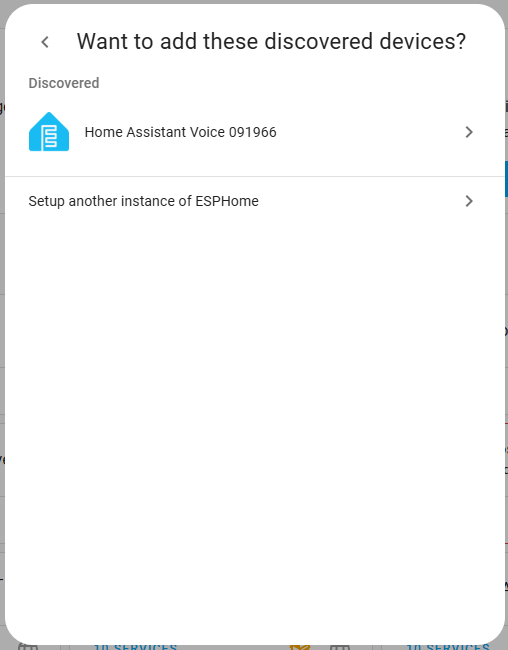
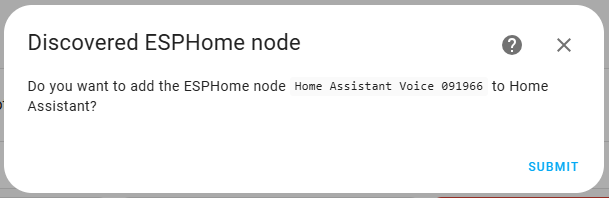
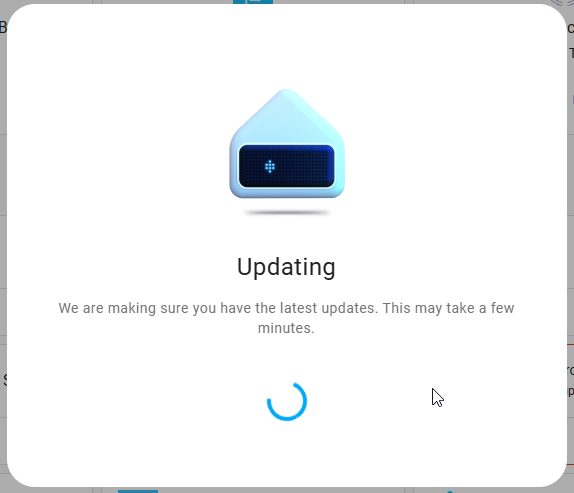
Once the update is complete, we’ll need to wake it up by saying “Okay Nabu” and configure the room it’s in. It will also ask us whether we want to use it locally or via the “Home Assistant Cloud.”
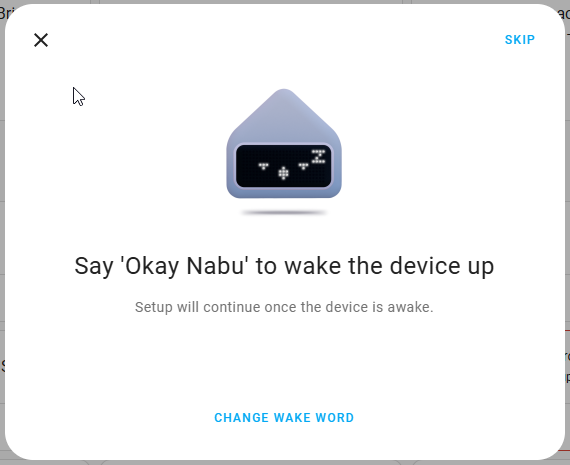
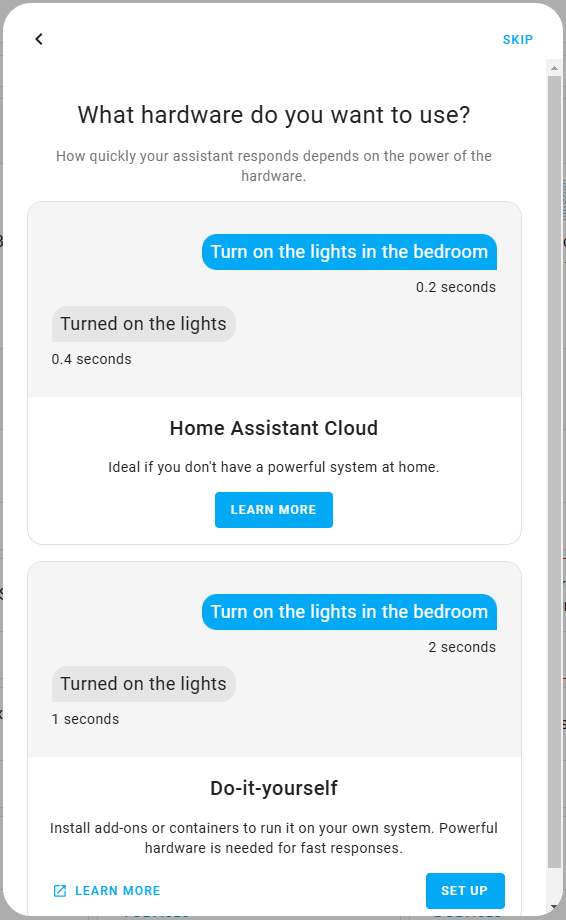
In this case, we’ll choose local management, and HA Voice PE will begin installing a few additional components.
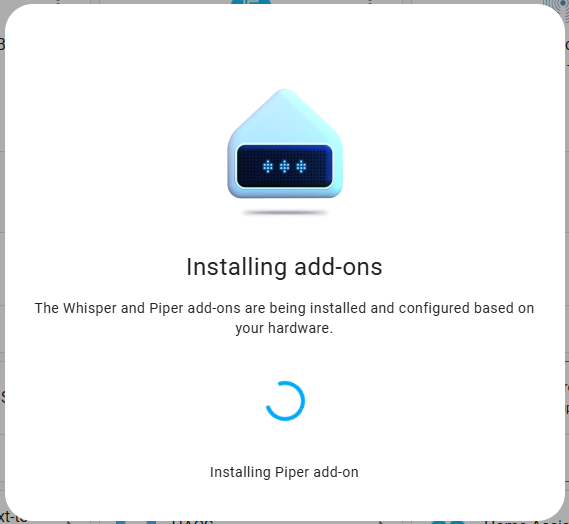
Finally, it will ask us for a few additional settings. Here they are:
From Menu 1, we can choose which word will wake up Home Assistant Voice. In this case, “Okay Nabu” has been selected, which is a pretty cool name for a home assistant. The other options are:
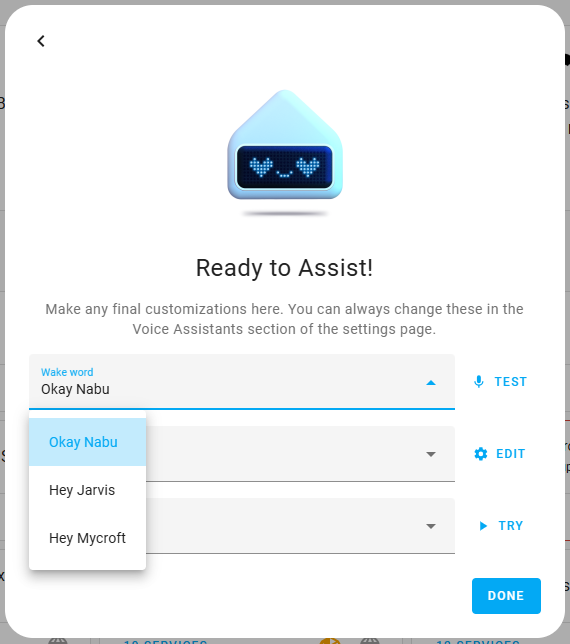
Under Menu 2, we can choose how to configure the local assistant. Let’s take a look at the configuration menus.
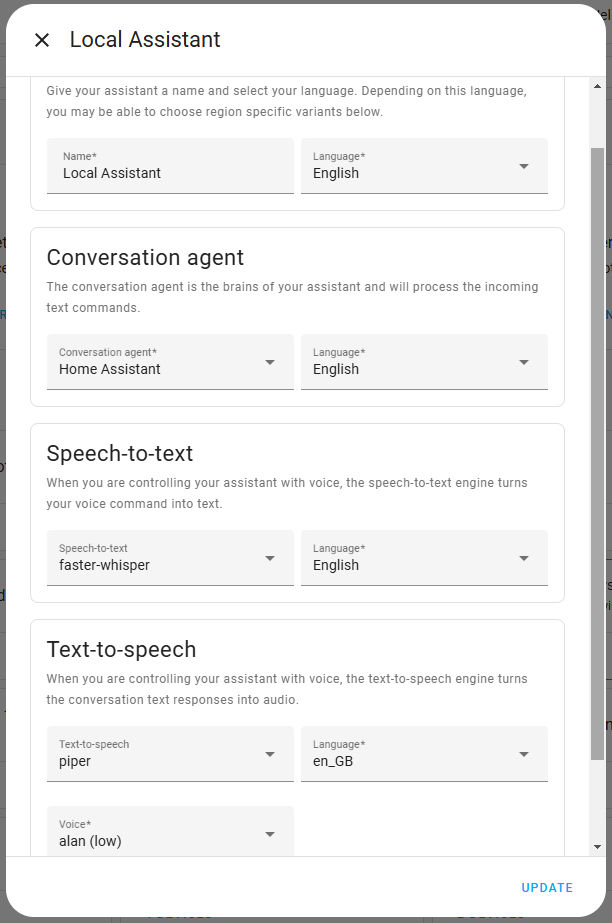
The first setting allows us to configure the home assistant’s name and language. The second setting lets us choose the voice agent. Here, the only option available at the moment is “Home Assistant.” Next, we can select the speech-to-text engine. Here, it is preconfigured to “faster-whisper” (the default for local processing) and the language we want it to use. And as a final setting, we can choose the text-to-speech engine, where we are offered “piper” as the engine, the speech language, and the voice type.
From menu number 3, we can choose what the voice that answers us will sound like.
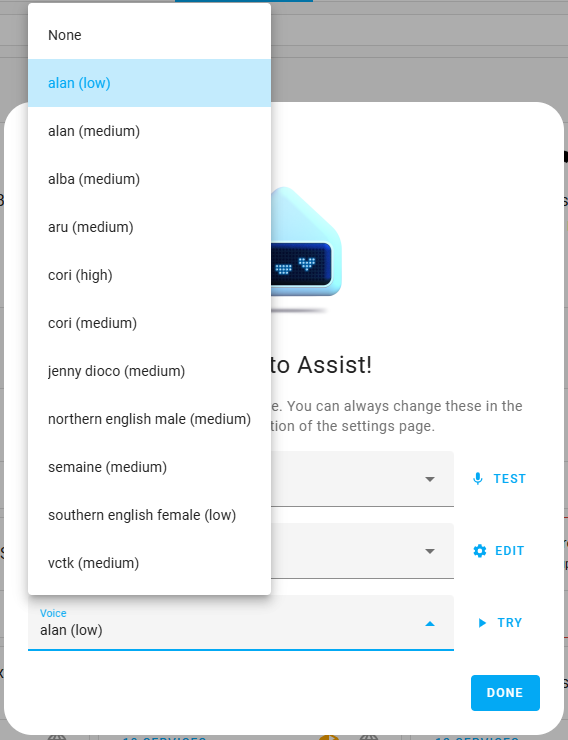
Once we’ve gone through all the settings, we’re ready to try out Home Assistant Voice. Try saying “Okay Nabu” and see if it understands you.
„Тurn on the living room light“, „Тurn on the TV“
„Close the garage door“, „Run stealth mode script“
„Turn kitchen dinner scene on“, „Next track“ , „previous track“
„Pause|resume music“, „What time is it?“
„What’s the date?“, „Set a timer for 5 minutes“
For now, the local Home Assistant Voice supports only a limited number of languages. If we want more, we need to subscribe to Home Assistant Cloud here. It costs €7.50 per month or $75, and we can also try the cloud feature for one month for free. It will help Open Home Foundation too.
Conclusion
As we’ve seen, setting up Home Assistant Voice isn’t complicated. It only takes a few minutes to get it up and running. When using English, more commands are supported, but even there, voice recognition isn’t as good as with Google Assistant or Alexa. For now, Home Assistant is just a beta version of a voice assistant and is quite “rough around the edges” in many ways, but it’s fun to experiment with.
Happy coding!
